Saturday, July 12, 2025

Some AI Tubes!!

 I recently tried a new-to-me AI image generator at Freeoik.  You are allowed 20 free generations a day, and either 2 or 3 background removers per day, and sign up is free, too.  The results are quite decent (so far), overall I'm liking it.  I'm not giving up any of the others I generally use - more or less adding this to my "arsenal" of AI image generators.  With the exception of Flow/Studio at Creative Fabrica - and only because it's included in my annual subscription - all the other AI image generators I use are their free versions.  Don't get me wrong, I love most of the results from Flow/Studio ... I just like a variety to choose from.

So... without further delay .... here are the few I got via Freepik, using their background remover (which works quite well!) .... 2 of them are circus related as I was trying a circus prompt for a challenge. 

Just click on it to make it full sized, and then right click/save as to your computer/device.


Saturday, June 28, 2025

Beach Time Word Art

Hello! 

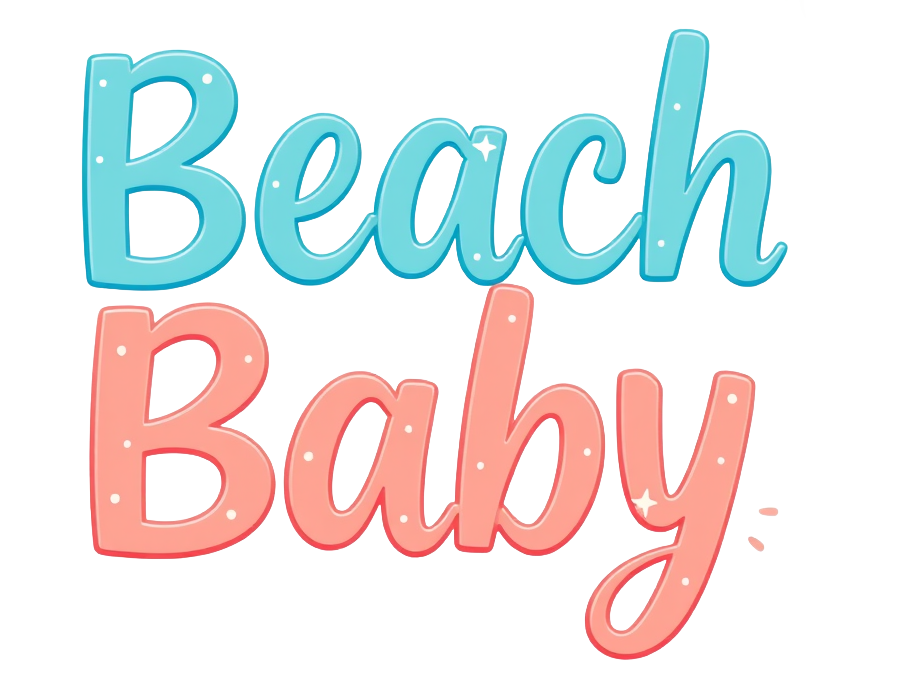
For those that don't know, I love word art!  So earlier, I was trying to make some word art in a couple of the different AI programs ... some weren't all that great however some came out pretty decently.  It's a work-in-progress, so hoping I can eventually figure out the "perfect" prompt words to get better results.  Some I had to tweak in PSP.  For example, some of the "Sand and Surf" would add an "i" in "Surf", so went in and deleted the "i", centered the word and moved it around to look better, then saved.  So little tweaks like that.  Extra letters or words with an added letter ..... nothing major, nothing I couldn't easily fix.  Some had a bunch of empty "dead space" around them so I cropped them down, so some will be different sizes.

I tried to keep with the whole summer/beach/ocean/sea fun time theme so .... sharing the better ones here for anyone who would like them. I'll probably have some more later as I fix/tweak some of the others.  There's actually quite a lot - this is just a partial amount.

If you use them in anything, I'd love to see!!

Please, if you'd like to share these, send people to the blog to download - please don't share these in groups or load them up to file share sites.  They're FTU, so ... just a little courtesy?  Thanks.

Happy creating!!

Just click on them to open them full-sized, then right click/save as.  The previews are much smaller than the actual images.  You can remove the credit info when using - it's just there for ID in case someone wants to check out the blog.


Sunday, June 1, 2025

Some New Grunge Masks

 Been playing around in PSP, making some masks ... sharing some here now.  Remember, in PSP, if you want to switch the black and white on the mask you can do one of two things:

1.  Go to Adjust  > Color Balance > Negative Image -- this will switch the white and black
2.  In your layers palette, on the layer you want to use the mask on, just right click, go to New Mask Layer  > From Image ... when the window comes up, use the drop down to choose the mask file (make sure its minimized in PSP first) and then at the bottom, select "invert mask data" and it will switch the black and white on the mask.

Here are the masks - just click on it to make it larger, then just right click/save as. 
 They should all be in jpg format.  Enjoy!!


Monday, March 24, 2025

Some New Masks

 Well, I know it's been a long time since I've posted.  Right now the household is dealing with food poisoning, so to get my mind off of things I decided to get a little creative in PSP and try my hand at making some masks.  I had made some in the past, which I will share on this blog at some point, however I managed to find a bunch of new-to-me brushes so figured, what the heck.  I hope you like them and if you use them, I'd love to see!!

Just click on the image and it should open it up, just do the whole right click/save as and you should be good to go!!

Enjoy!


Monday, July 8, 2024

New WordArt

 Just going to keep this short and sweet.

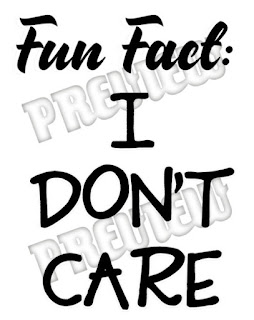
I made a couple of word art (word arts?) over the last few days in Paint Shop Pro  and wanted to share them with you.  The come in both .psp and .psd format.... they are layered with the words being on one layer, the white "backing" (currently not showing on the previews) on another layer, so you can choose what you want to use - or not.

The first one is "Be Honest Be True":


and can download here:

.psp format  /  .psd format


The next one is called "Fun Fact" ... a little attitude can be a good thing!

and can download here:

.psp format  /  .psd format


If you have any problems with the download(s), please let me know.

If you make anything with these, I'd love to see them.

Happy Creating!!


My GoodReads

WillowRaven's currently-reading book montage

The Golden Bough
Thus Spoke Zarathustra
The Goddess Within
Jung and Tarot: An Archetypal Journey
Discovering Your Self Through the Tarot: A Jungian Guide to Archetypes and Personality
The Spirit of Place: A Workbook for Sacred Alignment
Firefly
The Martian
The Tarot Shaman: Connect to Your Animal Spirit with Tarot
Filthy Witch and Dead Famous
Red Sapphire
The Long Way Home
Before and Again
Deadly Summer
The Last Magician
The Art of Escaping
Becoming the Light: Realize Your True Enlightened Nature
Snow
Seventeen
Discarded


WillowRaven's favorite books »

WillowRaven's 80s Music - Spotify

YT Audio Library: No Copyright Music from SoundCloud